Welcome to Ads Analytics
Your command center for data-driven ad management.
This platform empowers you to track, analyze, and optimize your Meta Ads with precision. From real-time monitoring to deep demographic insights, everything you need is just a click away.
The Main Dashboard
A high-level health check of your selected ad account.
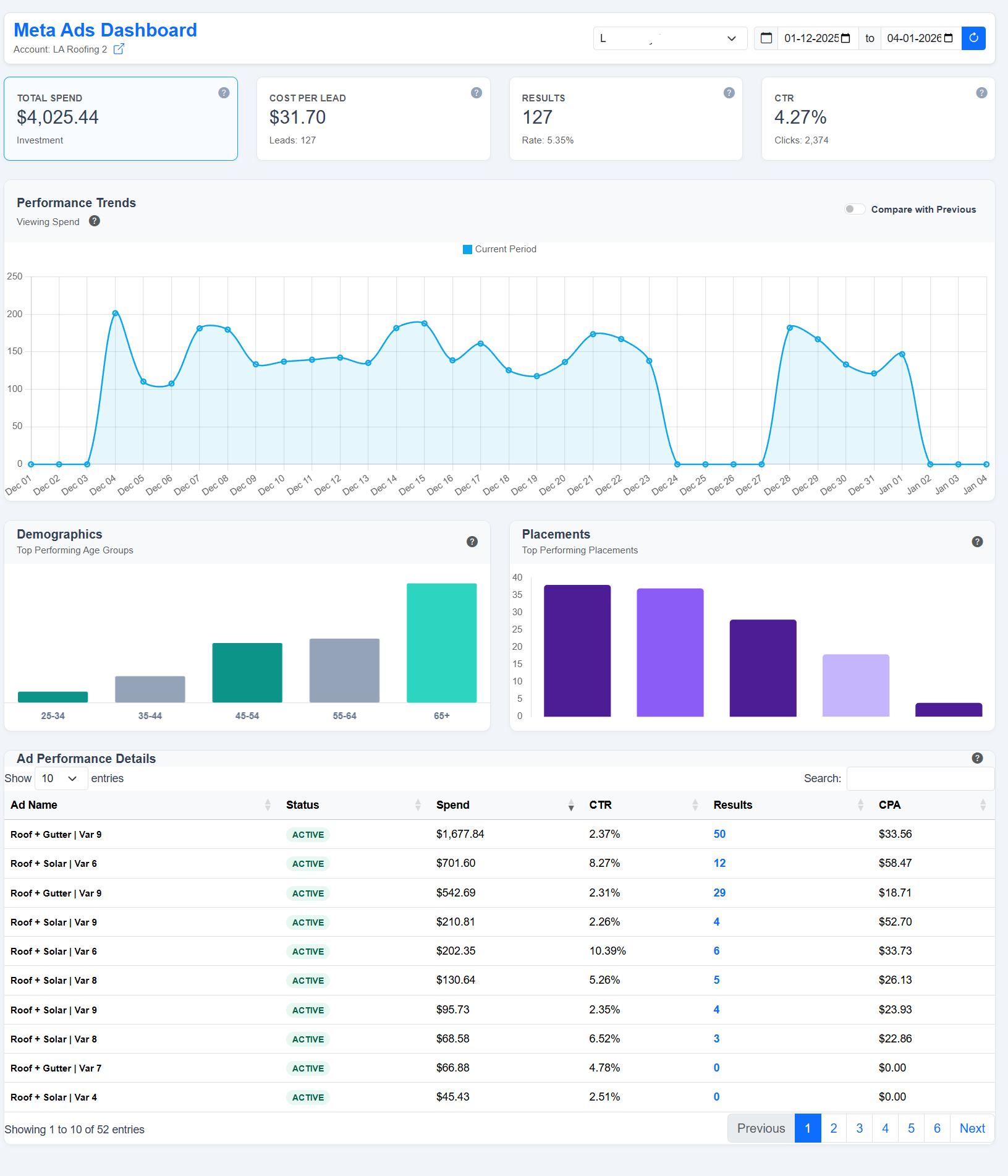
- 1 Account Selector: Switch between different ad accounts instantly.
- 2 KPI Cards: Track Spend, Cost per Lead, Results, and CTR. Click any card to update the main trend chart.
- 3 Performance Chart: Visualize trends over time. Use the toggle to compare vs. previous period.
Live Monitor (All Metrics)
Track up to 50+ data points simultaneously on a single screen.

Filters & Navigation
Isolate data by Campaign, Ad Set, or Ad.
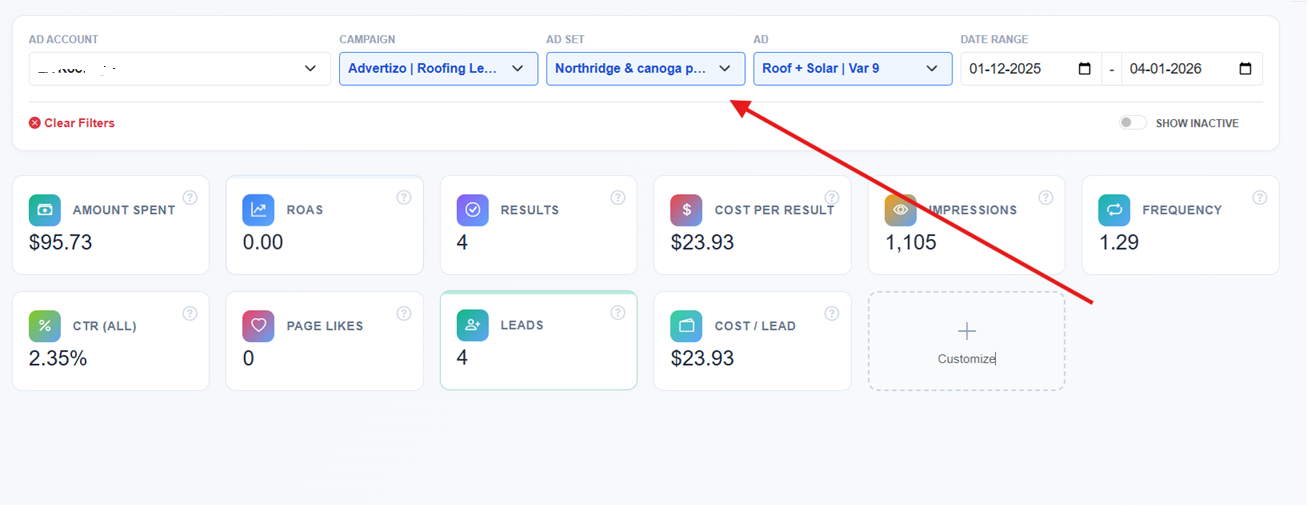
Hierarchy Logic: Selecting a Campaign filters the Ad Set list. Selecting an Ad Set filters the Ad list. This ensures you only see relevant data.
Detailed Analysis Popup
Access granular reports without leaving the dashboard.
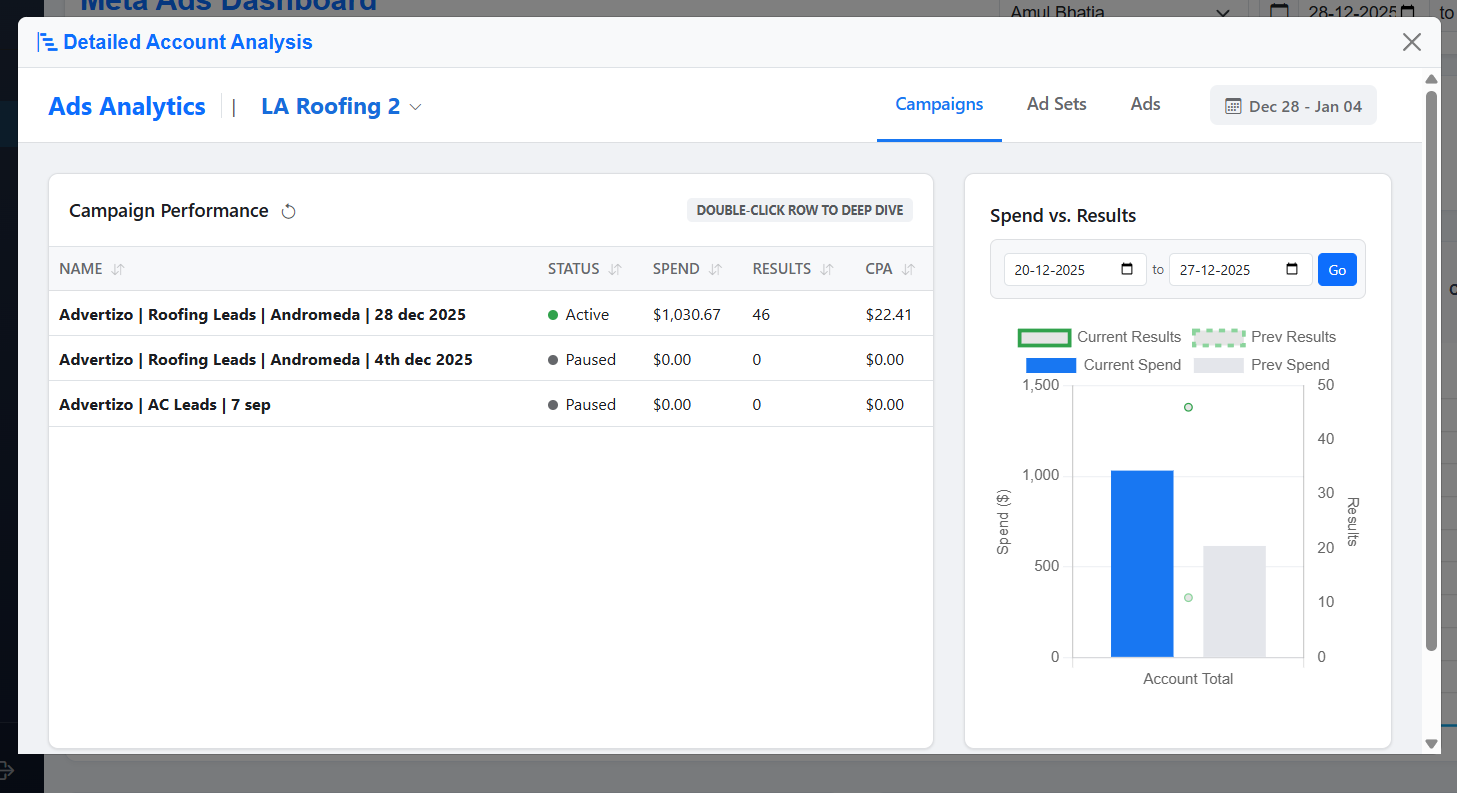
Click the icon next to Account Name
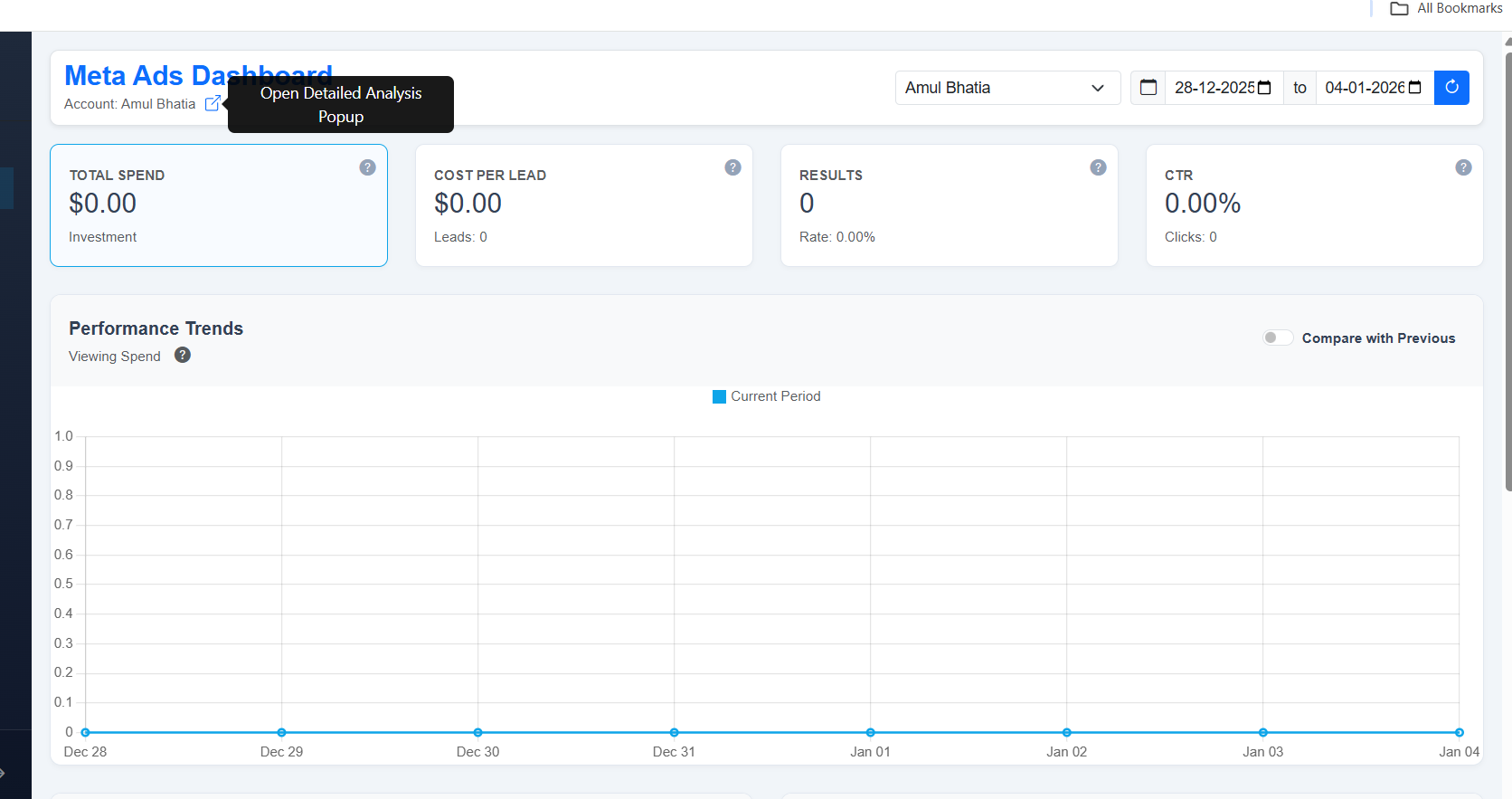
Popup Interface
This powerful popup provides a tabular view of your Campaigns, Ad Sets, and Ads. You can sort by Status, Spend, Results, or CPA to identify top performers quickly.
Deep Dive Intelligence
Advanced AI-driven insights for optimization.

Triggered by double-clicking a row in the Detailed Analysis popup, this screen offers:
- AI Insights: Automatic recommendations (e.g., "Vertical Video is 23% cheaper").
- Hourly Breakdown: See exactly when your ads convert best.
- Demographics: Pie charts showing age and gender distribution.
- Platform Split: Breakdown of performance between Facebook and Instagram.
Global Search
Find any asset across all your accounts instantly.
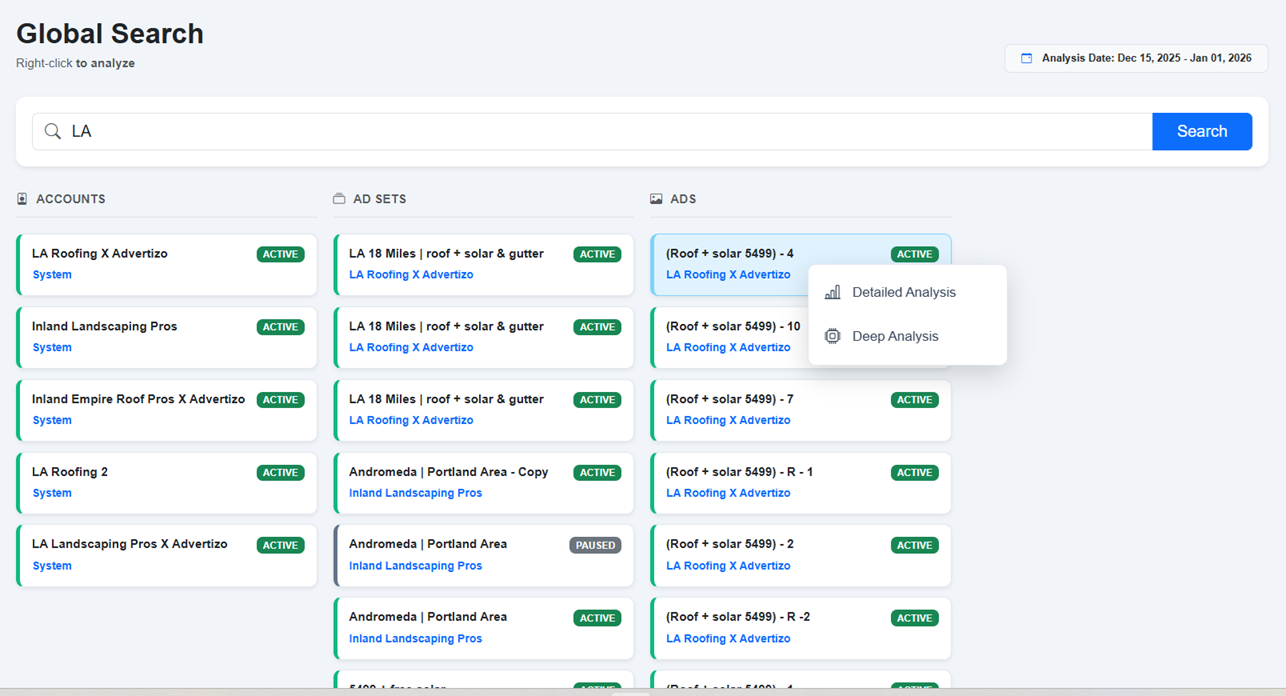
Type a keyword (e.g., "Roofing") to search across Accounts, Ad Sets, and Ads simultaneously.
Right-Click Action: Right-click on any search result to open a context menu for Detailed Analysis or Deep Analysis directly from the search page.
Priority Alerts & Notifications
Stay on top of critical account changes.
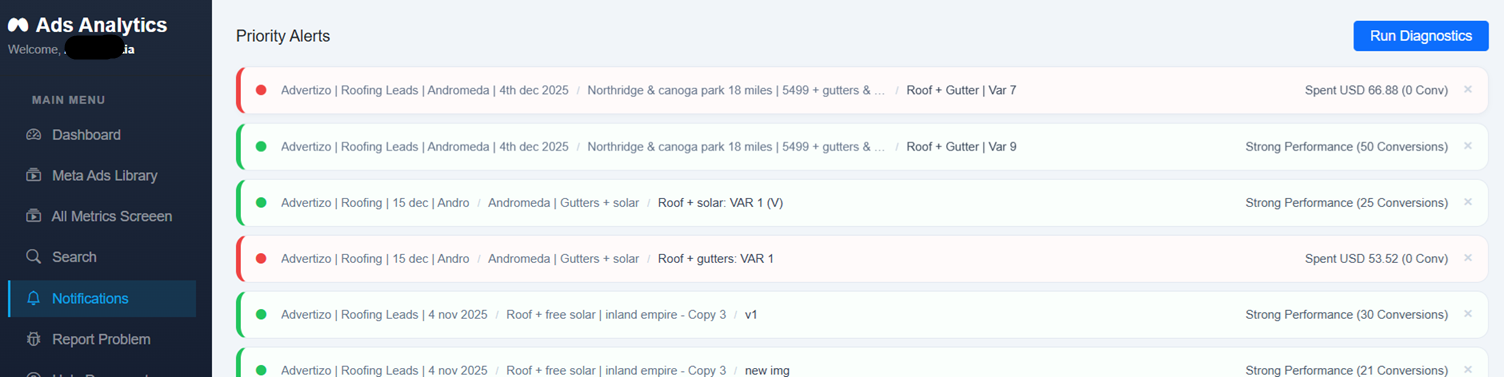
- Green Alert: Indicates strong performance (e.g., High Conversions).
- Red Alert: Indicates potential issues (e.g., High Spend with 0 Conversions).
Meta Ads Library Tool
Research competitor creatives without leaving the platform.
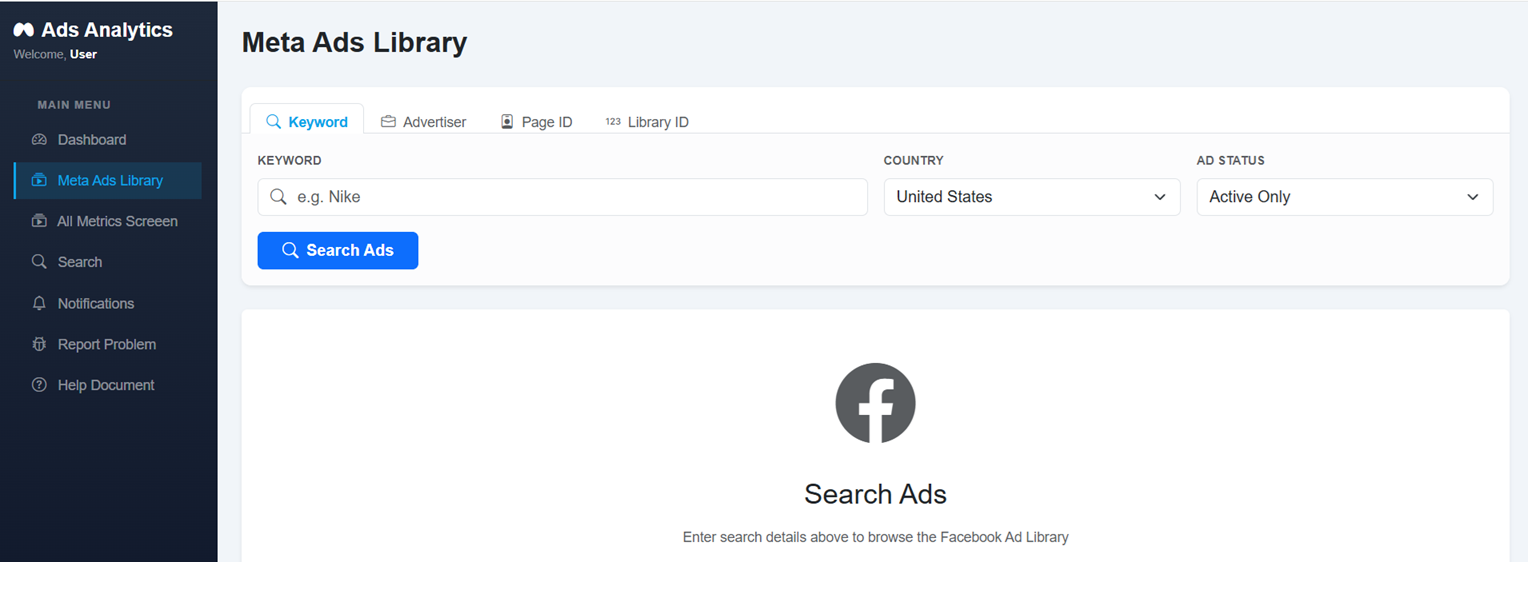
Enter a keyword (e.g., "Nike") and select a country to browse active ads from competitors. Use this to find inspiration for your next campaign.
Exporting Reports
Share insights with your team or clients.
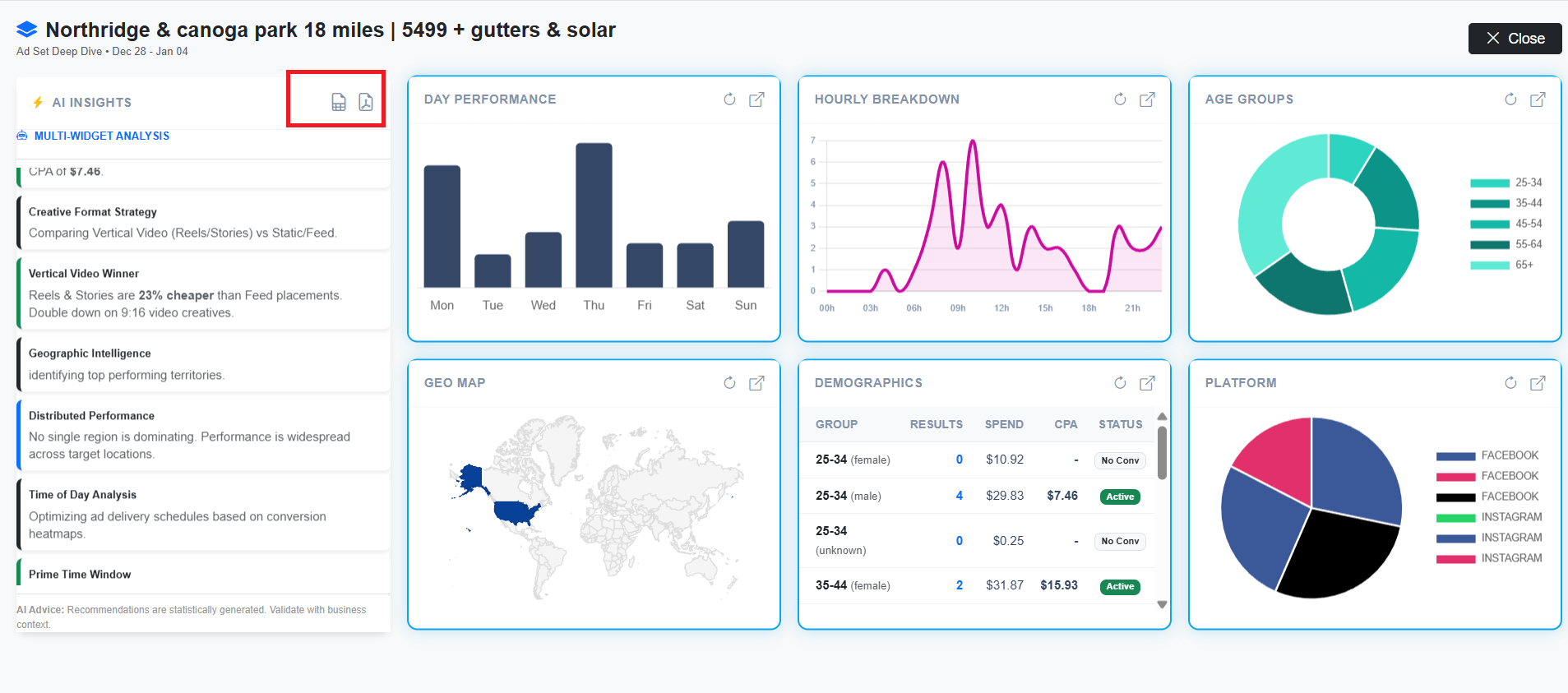
Located in the top-right of analysis screens. Click the CSV icon for raw data or the PDF icon for a formatted report.